Drone Shot Editing on Your Photos and Videos Using Mobile Apps
Introduction
Drone-style editing has become one of the most popular trends on social media because it creates the illusion of cinematic aerial footage without requiring an actual drone. With the help of modern AI-powered mobile applications, anyone can transform ordinary photos and videos into professional-looking drone shots. Whether you are creating Instagram Reels, YouTube Shorts, or TikTok videos, these editing tools can add dynamic camera movements, smooth zoom effects, and realistic cinematic transitions directly from your smartphone.
What Is Drone Shot Editing?
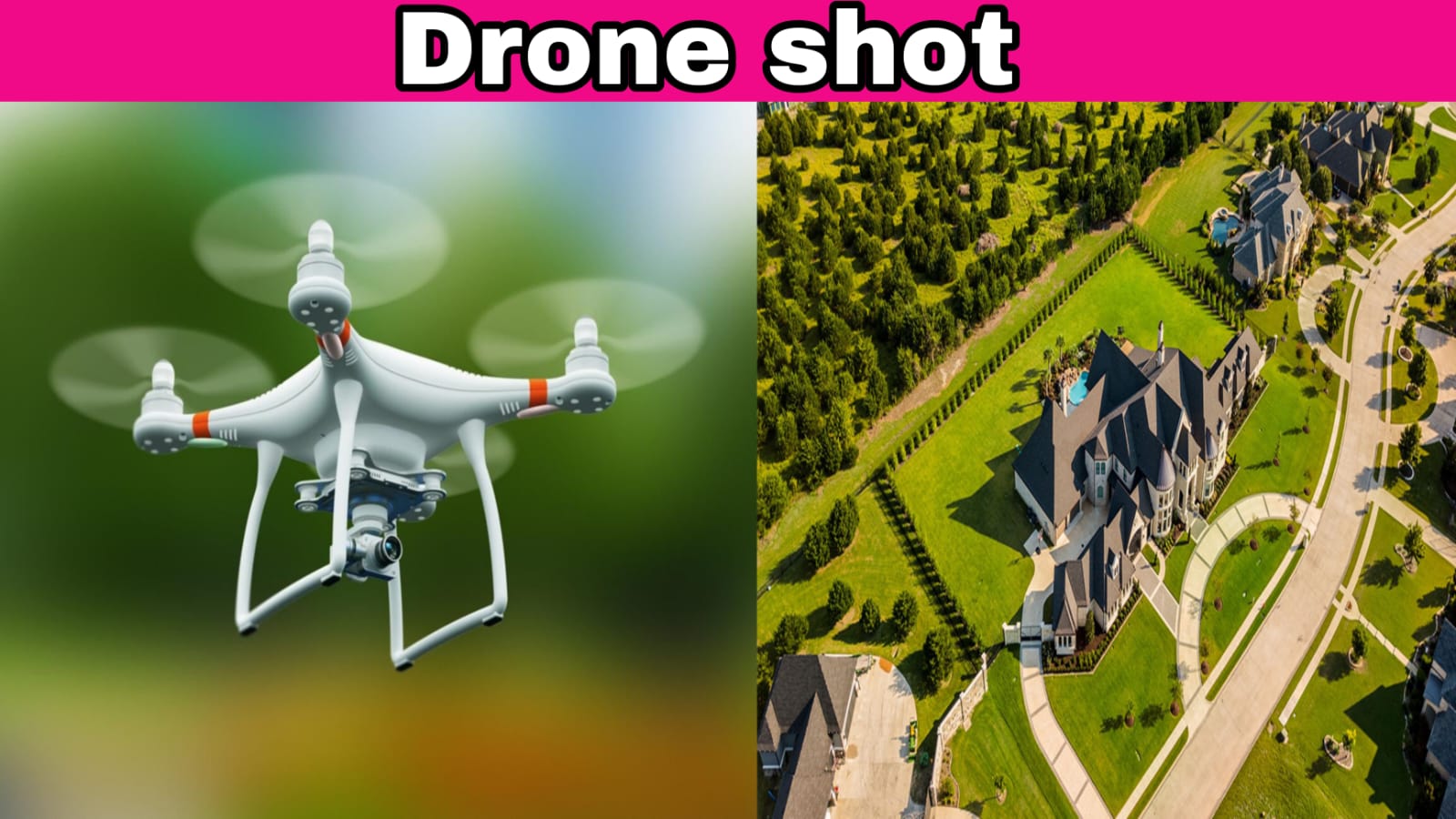
Drone shot editing is a creative technique that simulates the movement of a drone camera using artificial intelligence and advanced video editing technology. Instead of capturing footage from the sky, these apps intelligently animate your existing photos or videos with upward lifts, sweeping pans, orbit movements, and cinematic zooms. The final result looks as though it was recorded using an expensive drone, even though it was created entirely on a mobile device.
Why Mobile Apps Are Becoming Popular for Drone Editing
Modern smartphones are powerful enough to handle advanced AI editing tasks that were once limited to desktop software. Mobile editing apps make the process simple by offering ready-made templates, automatic camera motion, and one-tap effects. Beginners can achieve impressive results without learning complicated editing techniques, while experienced creators can further customize animations, speed, lighting, and transitions for a unique cinematic style.
How AI Creates Realistic Drone Effects
Artificial intelligence analyzes the depth, background, and subject in your photo or video before generating natural camera movement. It predicts how a drone would travel through the scene and adds smooth motion accordingly. Some apps even enhance image quality, stabilize shaky footage, and create realistic lighting adjustments to make the effect look authentic. This technology allows creators to produce professional-quality content within minutes.
Best Situations to Use Drone-Style Editing
Drone-style editing works perfectly for travel photography, nature landscapes, city views, wedding moments, birthday celebrations, bike rides, car showcases, and cinematic portrait videos. Content creators also use these effects for product promotions, real estate showcases, and social media storytelling because the dramatic camera movement immediately captures viewers’ attention and increases engagement.
Tips for Creating Better Drone-Style Videos
The quality of the original photo or video plays an important role in achieving the best results. High-resolution images with good lighting produce smoother AI animations and more realistic movement. Choosing scenes with open backgrounds, landscapes, buildings, or wide outdoor locations helps the AI generate convincing drone effects. Adding cinematic music, color grading, and smooth transitions further enhances the overall viewing experience and gives your content a premium look.
Advantages of Editing Drone Shots on Mobile
Using a mobile app for drone editing saves both time and money. There is no need to purchase an expensive drone or learn complex editing software. Most applications provide simple controls that allow users to create impressive cinematic videos in just a few taps. Since editing can be completed entirely on a smartphone, creators can produce and publish high-quality content from anywhere, making it an ideal solution for influencers, vloggers, and beginners.
Turn Ordinary Photos Into Dynamic Drone Animations
A single photo no longer has to remain static. Modern AI editing apps can animate still images with realistic upward movements, sweeping camera pans, and dramatic zoom-out effects that imitate a drone flying through the scene. These animations create depth and motion, making the final result feel alive. Social media creators use this editing style to increase viewer engagement because moving visuals naturally attract more attention than ordinary images.
Make Your Short Videos More Engaging
Short-form video platforms reward content that captures viewers within the first few seconds. Drone-style editing helps achieve this by adding smooth cinematic movements that immediately create a premium visual experience. Even simple clips recorded on a smartphone can appear more expensive and professionally produced after applying AI-generated drone effects. This makes the editing style perfect for Instagram Reels, YouTube Shorts, Facebook Reels, and TikTok videos.
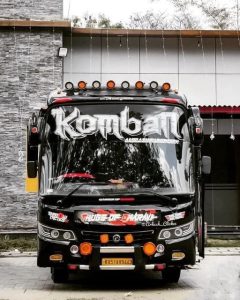
PROMPT :
Replace the bus in the video with the bus in the firsng any detailing. Don’t make any changes in the words and writing over the bus in the first photo. Everything should be clear and accurate as same in the photo attached. Length and width of the bus should be same as in the Photo and get output as the video
AI Editing Saves Time and Effort
Traditional video editing often requires manual keyframing, camera tracking, and advanced software knowledge. AI-powered mobile apps automate these complex tasks by recognizing the subject, analyzing the background, and applying realistic camera motion automatically. Instead of spending hours editing a single clip, creators can produce professional-looking drone effects within minutes, making content creation faster and more efficient.
Conclusion
Drone shot editing with mobile apps has made cinematic content creation more accessible than ever before. By using AI-powered effects and smart camera animations, anyone can turn ordinary photos and videos into stunning aerial-style visuals without owning a drone. As mobile editing technology continues to improve, creating professional-quality drone effects will become even easier, helping content creators produce engaging and visually impressive videos directly from their smartphones.